

NightCap
Bedtime dark mode, with a snooze that shrinks every time you put it off.
Android · coming soon
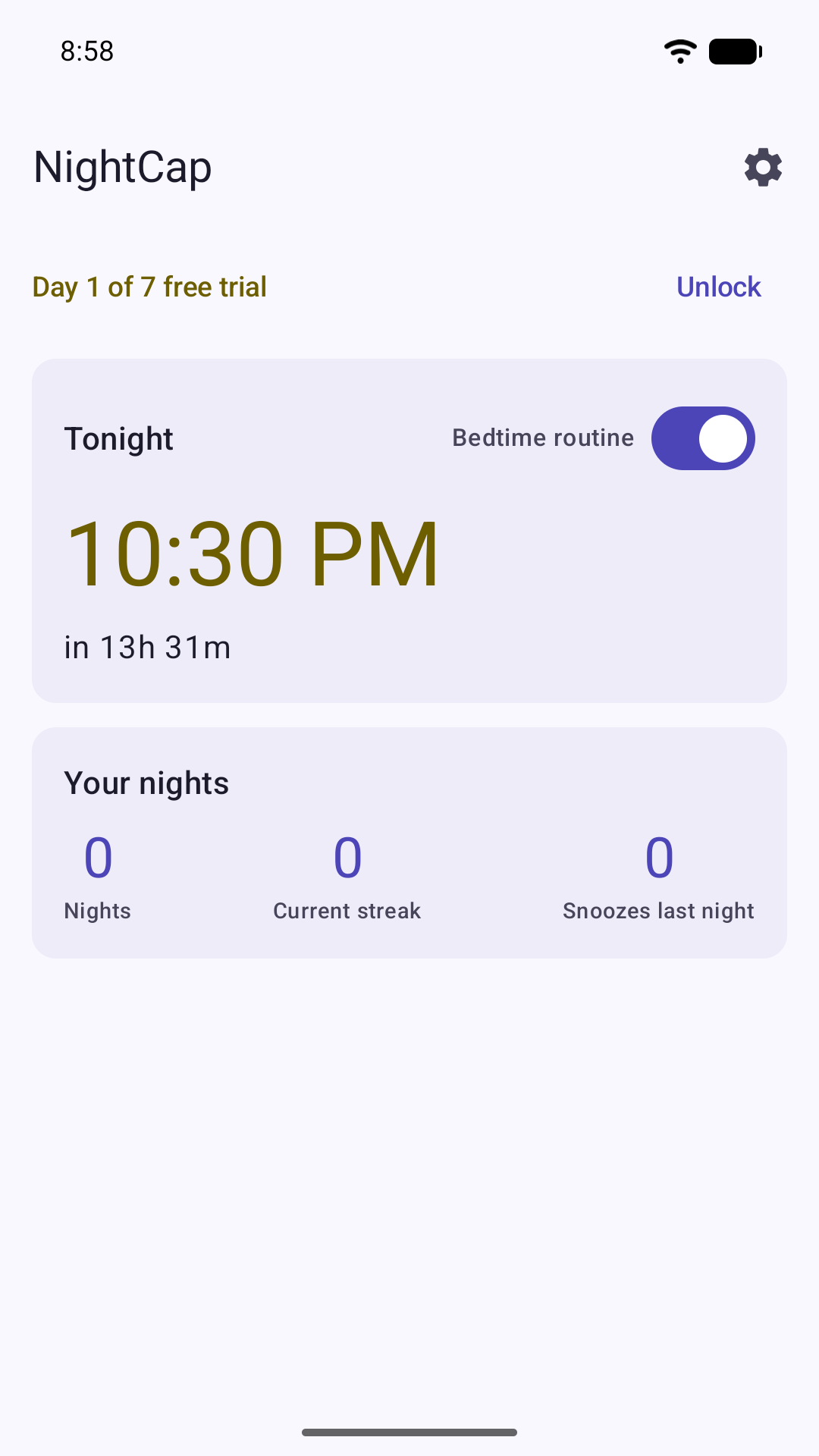
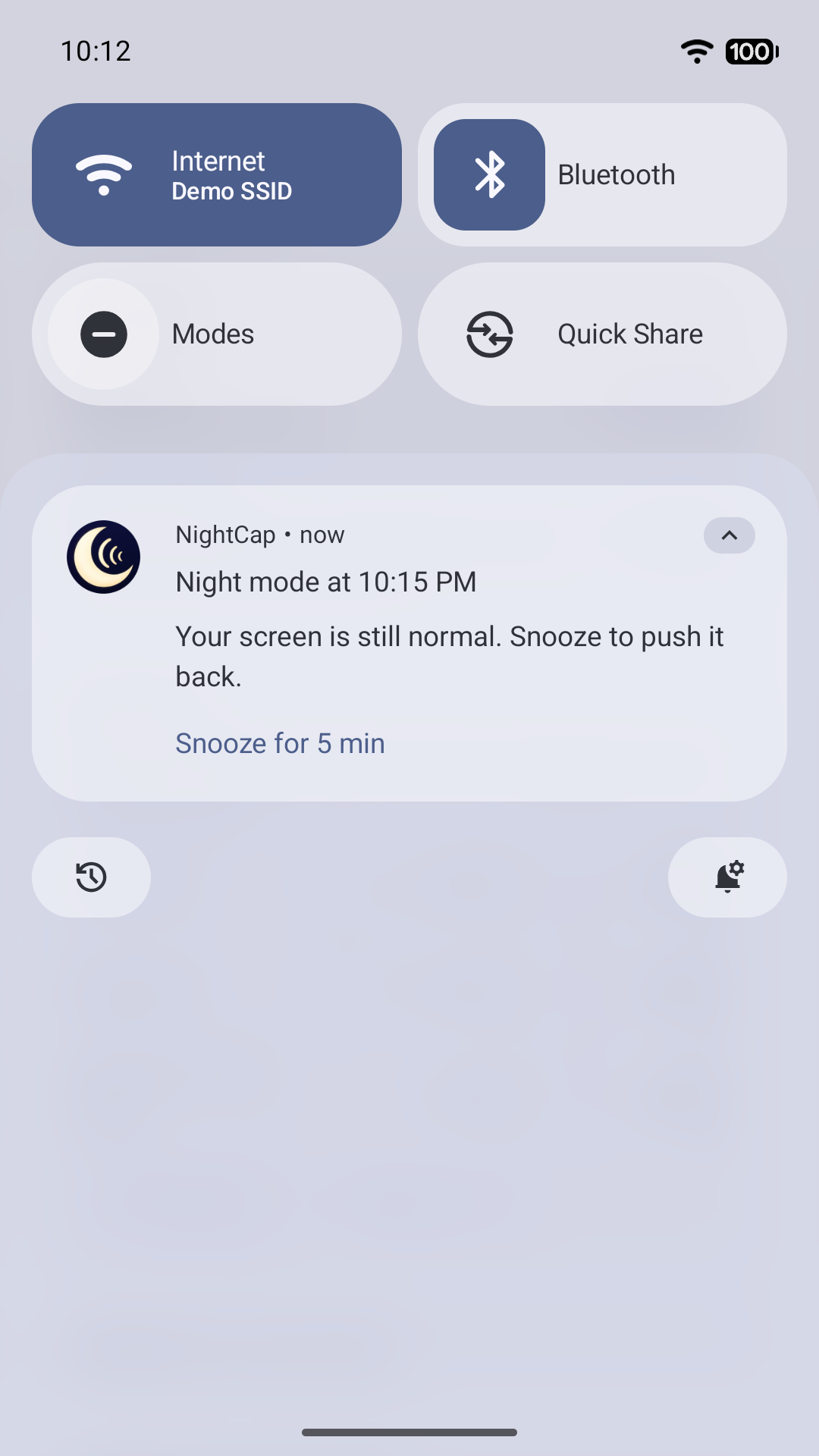
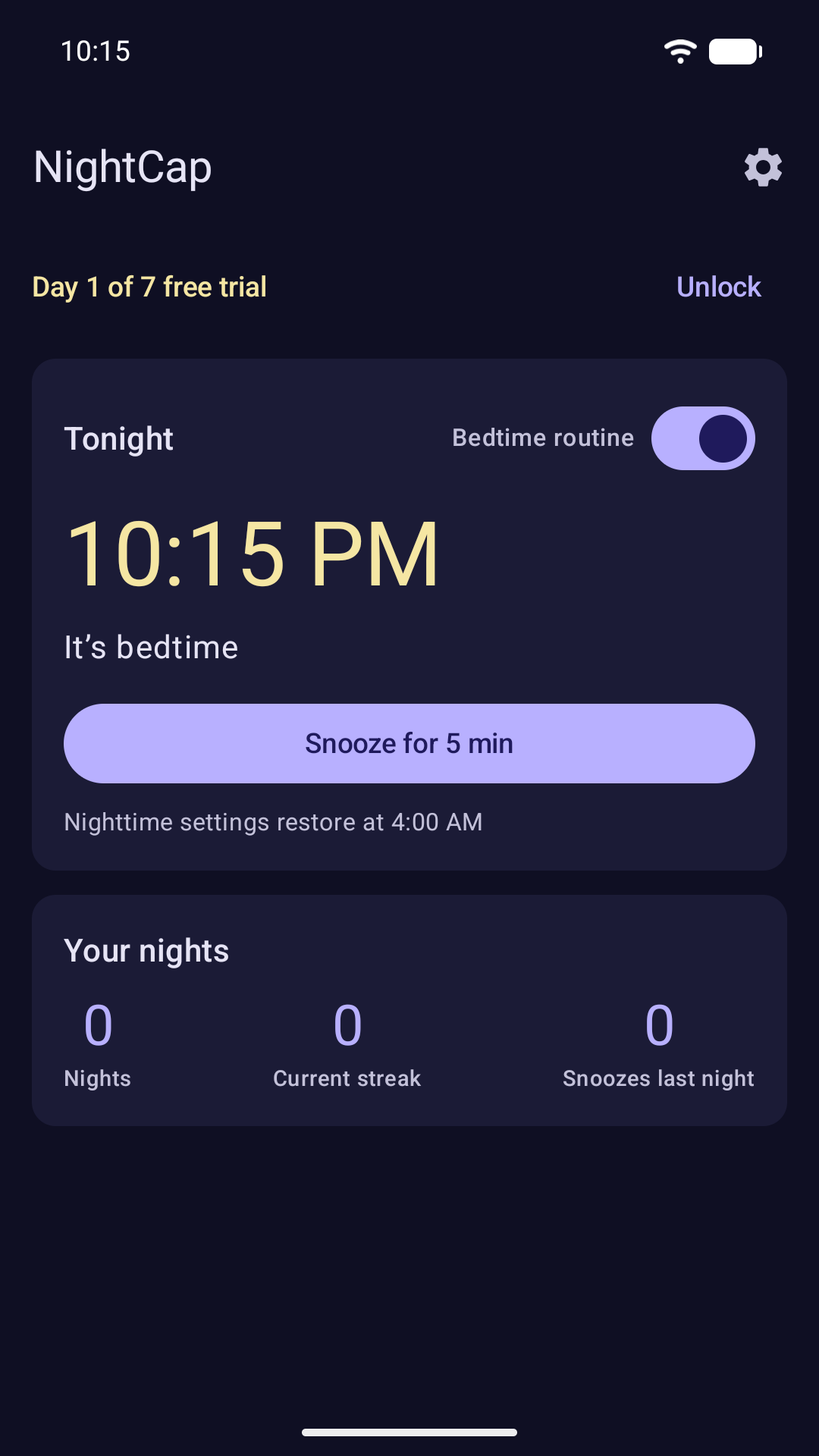
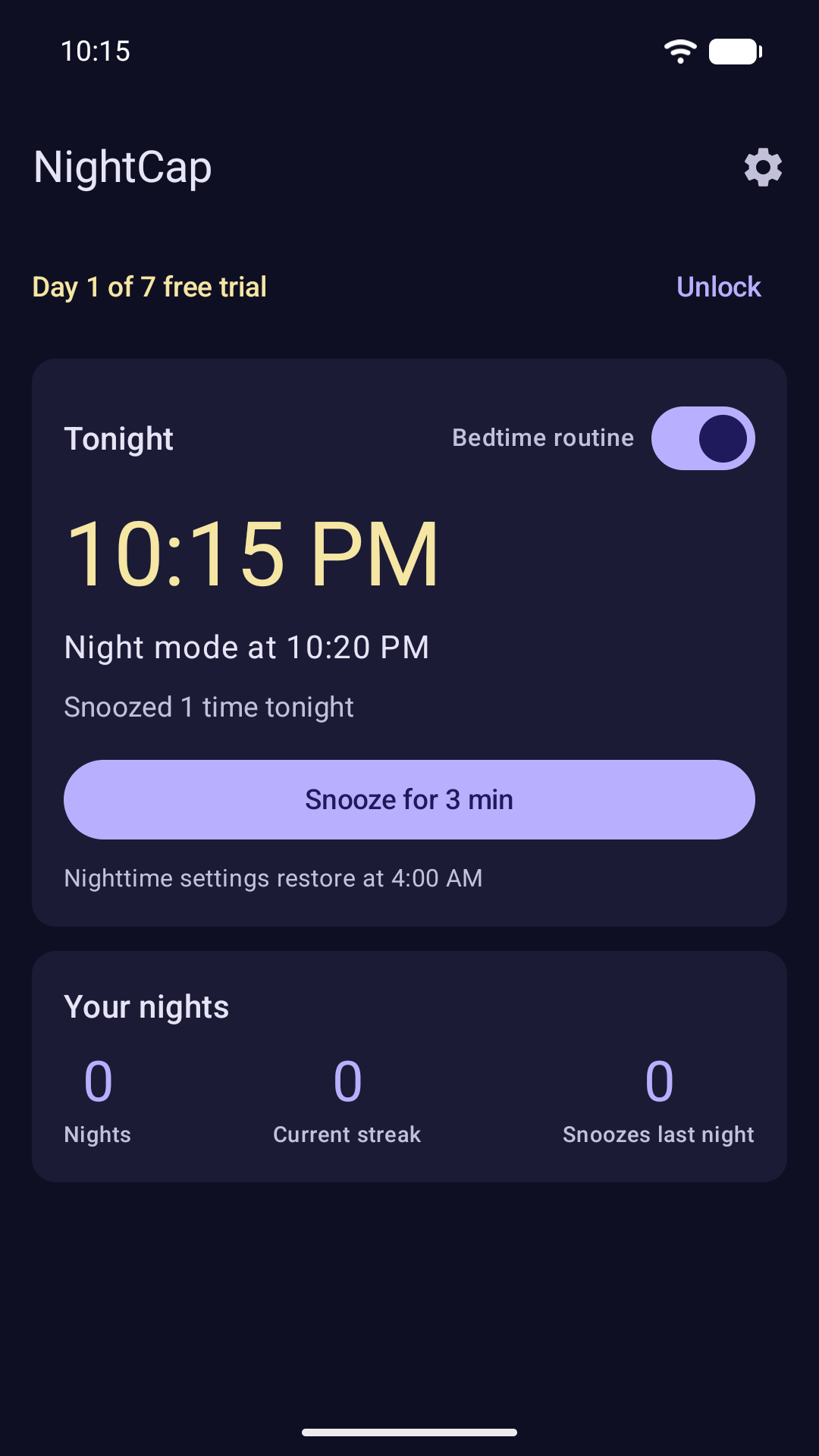
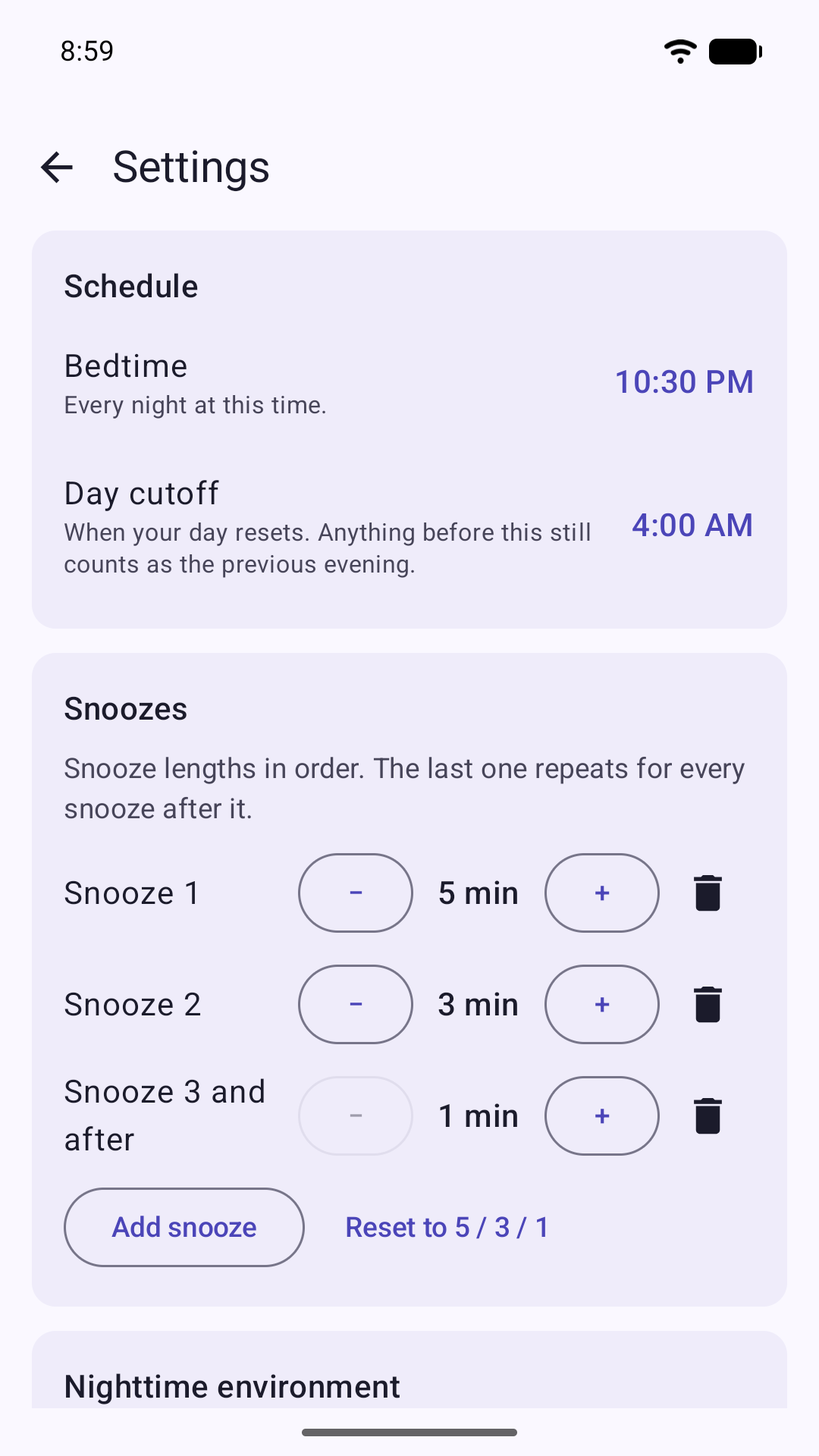
NightCap is a gentle bedtime routine for your phone. At the time you choose, your screen goes dark and a bedtime prompt appears. You can snooze it, but every snooze is shorter than the last: 5 minutes, then 3, then 1. No app blocking, no screen-time charts, and no computer needed to set it up.
How it works
- Pick one bedtime. It applies every night.
- Five minutes before, a notification lets you know. Nothing changes yet.
- At bedtime the night begins: your screen goes dark, along with anything else you switched on.
- Snooze lifts the night for a few minutes. Each snooze buys less time than the one before, and the last one repeats.
- Stop snoozing and the night simply stays. Nothing escalates.
- At your day cutoff (4:00 AM by default) everything goes back to normal, ready for tonight.
What changes at bedtime
You choose any of:
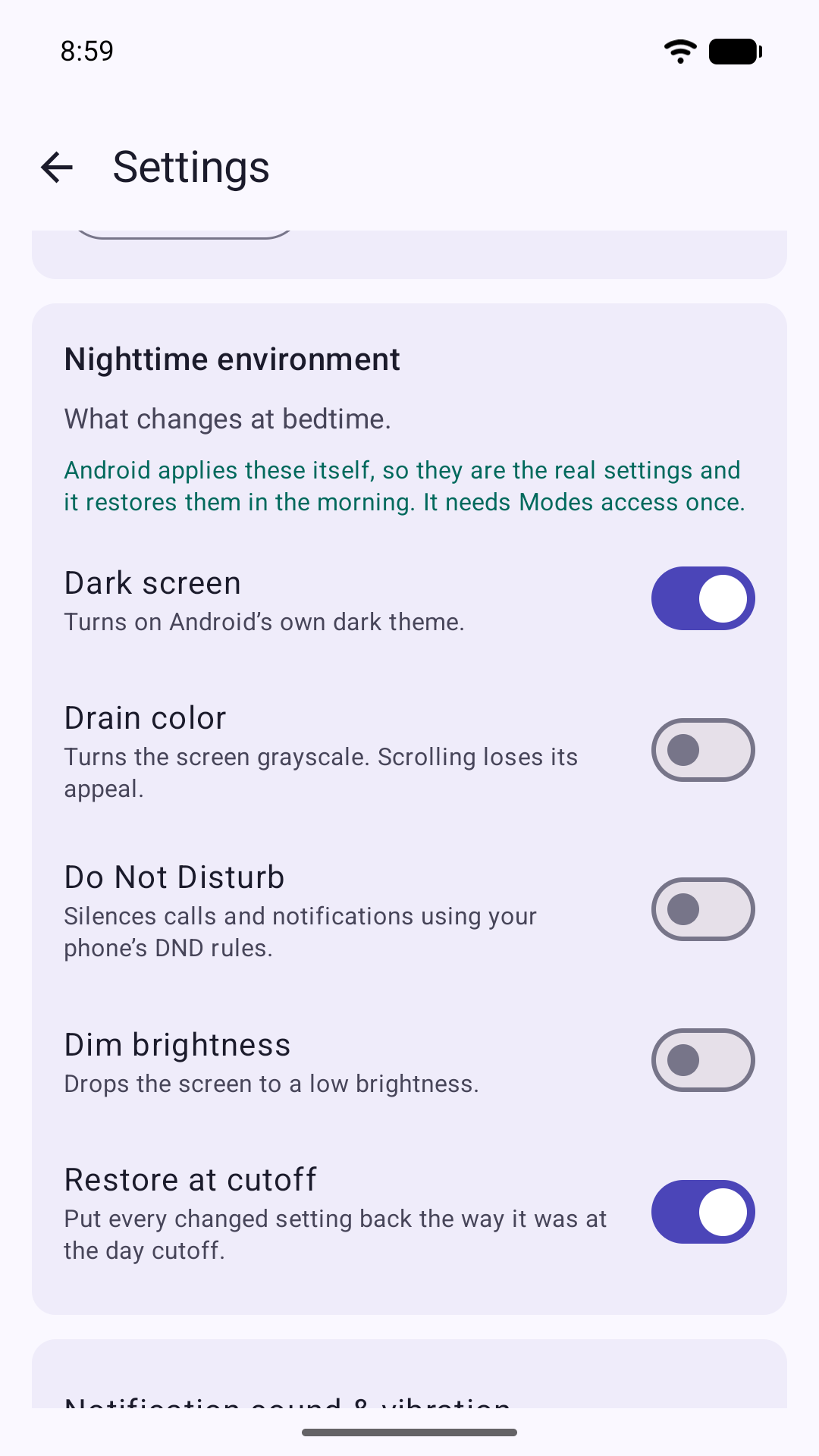
- Dark screen
- Drain color (grayscale)
- Do Not Disturb, using your phone's existing rules
- Dim brightness, to a level you choose
Only the dark screen is on by default. Everything is put back at your day cutoff, unless you turn that off.
On Android 15 and later, NightCap sets up a bedtime Mode, so the dark theme, grayscale and Do Not Disturb are Android's own settings. Android switches the dark theme on, and back off after a snooze, the next time your screen turns off, so it never flips while you're reading. Grayscale and dimming change straight away.
On Android 8 to 14, NightCap lays a tint over the screen instead: Warm, Deep red, Dim only or Low color, with a strength slider. It tints rather than re-themes, and Low color washes color out rather than making the screen fully gray.
Settings
- Bedtime and day cutoff. A 1:00 AM session still counts as last night.
- Snoozes: edit the list, 1 to 60 minutes each. Try 10, 7, 5, 3, 1 for a slower taper.
- Choose what changes at bedtime, and whether it is restored at the cutoff.
- Simple stats: nights completed, your streak, and last night's snoozes.
Permissions
NightCap always needs notifications and alarms, and asks for the rest only when a setting you turn on needs it. Each is granted on the phone in a couple of taps:
- Notifications, for the bedtime prompt
- Alarms & reminders, so bedtime is on time
- Modes or Do Not Disturb access, to set the night
- Display over other apps (Android 14 and earlier), for the screen filter
- Modify system settings, only if you turn on brightness dimming
Until the ones it needs are allowed, the routine stays off and the app tells you why.
Price
Free for 7 days with full access. No card and no sign-up, and nothing is charged when the trial ends. After the trial, NightCap only runs if you unlock it:
- Lifetime: $9.99, a one-time purchase
- Monthly: $1.99 a month, renews automatically until you cancel. Cancel anytime in Google Play.
Prices are US prices. Google Play shows the price in your currency before you buy. If you don't unlock, the bedtime routine switches off.
Privacy
No account, no ads, no tracking, and nothing is sent to the developer. Purchases are handled by Google Play, and Google's billing code sends Google basic technical logs. So that reinstalling doesn't restart the free trial, the trial's start date is kept in Google Play services and, if Google backup is on, backed up to your Google account.
Questions: support@getlesschaos.com